The logo has drifted
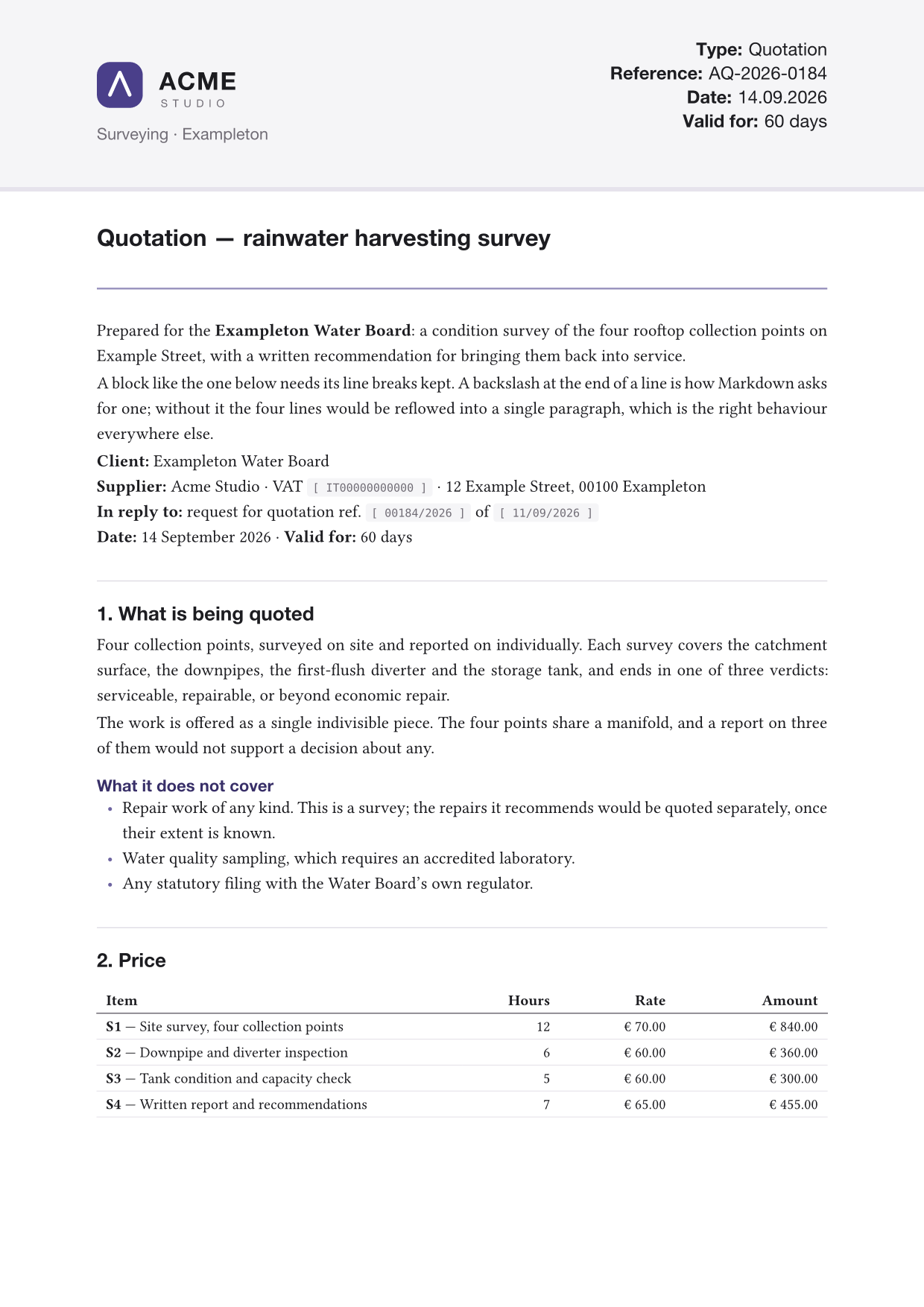
Two millimetres to the left, and nobody knows why. Here the mark is placed by the letterhead, not by a drag of the mouse, so it lands in the same place on every document you will ever print.
Open source · MIT · PDF/A and PDF/UA
Mela Letterhead puts a real letterhead around a Markdown file — the band across the top of page one, the small running header on the pages after it, the footer with your legal and banking details on the last — and hands you a PDF.
You describe the paper once, in a single letterhead.yaml.
Nothing about the layout is specific to any one trade, country or language.
$ pipx install mela-letterhead
---
title: Quotation — rainwater survey
type: Quotation
reference: AQ-2026-0184
lang: en
---

## 1. What is being quoted

Four collection points, surveyed on
site and reported on individually.

| Item | Hours | Rate |
|---|---:|---:|
| S1 — Site survey | 12 | € 70.00 |
The twenty minutes after the work is done
A word processor keeps the room and the music in the same file. So every time you touch the writing, the walls move. Mela Letterhead separates them, and refuses to let them back into the same room.
Two millimetres to the left, and nobody knows why. Here the mark is placed by the letterhead, not by a drag of the mouse, so it lands in the same place on every document you will ever print.
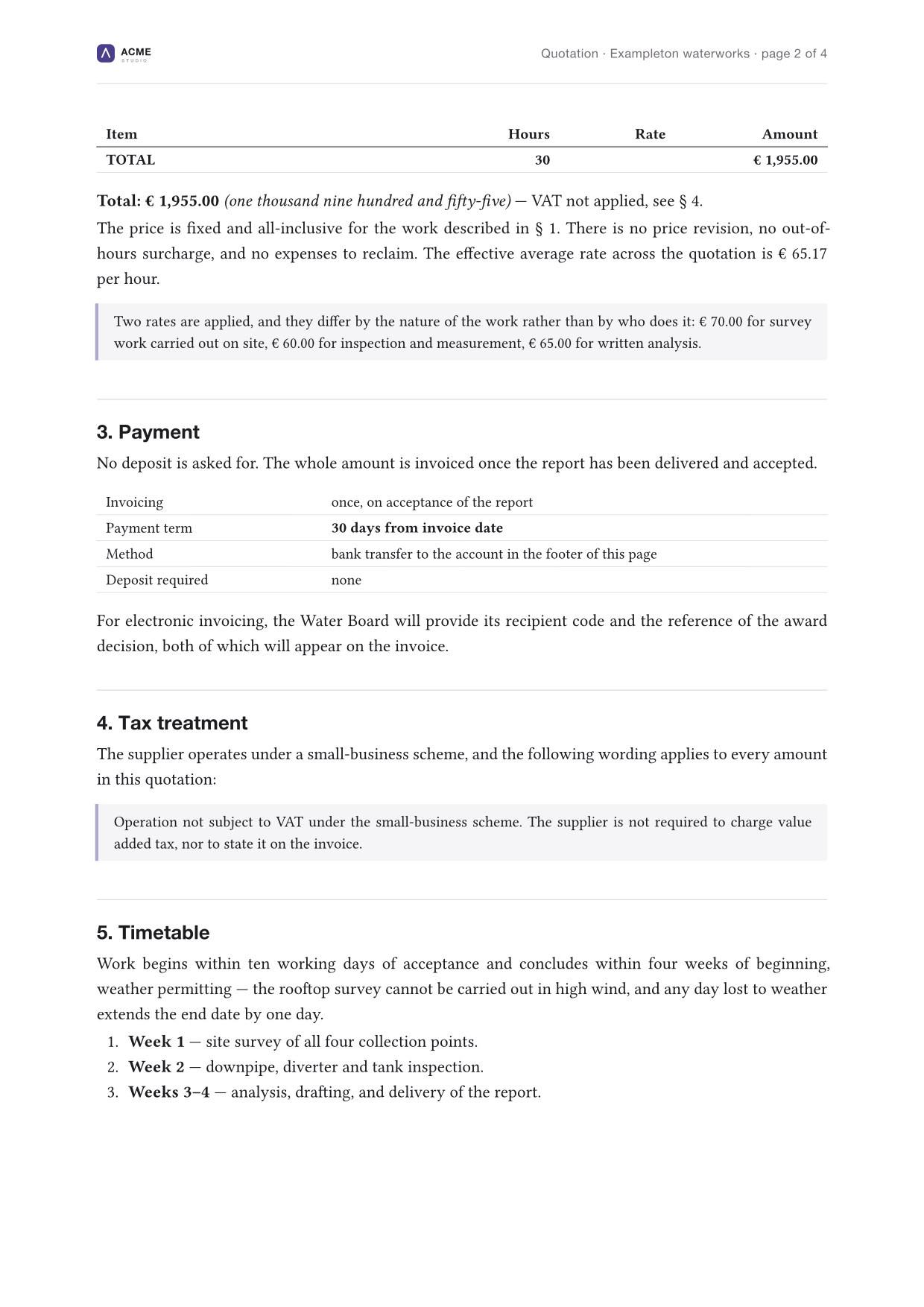
Page one gets the full band, inner pages a running header, the last page the footer with your VAT number and IBAN. The layout knows which page it is on.
Column widths are recomputed from what is actually in them, your alignment markers kept, the header row emboldened for you.
A picture with a caption becomes a figure — a block of its own, centred, captioned in the letterhead's own type. Real typesetting, not HTML pretending to be a page.
A rhythm section does not improvise the stage. It plays the same groove at the same tempo every night and stays invisible, so the song can be heard. That is exactly what a letterhead is.
How it works
All resolution happens in Python. The Typst module receives a finished structure with one language already chosen and every length already a number of points — which is why it never needs editing to print somebody else's paper.
Plain Markdown, a few lines of front matter. No layout. Ever.
offer.md
Resolved for one language, every length converted to points.
letterhead.yaml → document.json
Pandoc converts, pictures are staged beside it, Typst compiles.
pandoc → typst
On your paper, in the right language, identical every time.
offer.pdf
brand:
  name: Acme Studio
  logo: assets/logo.svg
  tagline: Surveying · Exampleton

palette:
  accent: "#4a3f8a"

header:
  fields:
    items:
      - label: { en: Reference, it: Codice }
        key: reference

footer:
  columns:
    - title: Bank details
      rows:
        - label: "IBAN:"
          value: IT00 X000 0000 0000
          style: highlight
Written is what you edit — 22mm, language maps,
optional keys, shorthands. Forgiving, because a human maintains it.
Resolved is what the typesetter consumes — one language, points, every key present. Rigid, because a program reads it.
Anything that can go wrong is caught where the offending setting can still be named:
Error: letterhead.yaml: unknown setting 'palete'

  Did you mean 'palette'?
Three ways to start
All three are finished letterheads. None is a lesser version of another.
Drop your own file over assets/logo.svg — PNG and JPEG work
too — and that part is done. The mark prints in the band on page one, and
smaller in the running header on every page after it.
brand:
  name: Acme Studio
  logo: assets/logo.svg
  tagline: Surveying · Exampleton
The band, the rule and the fields are all yours to colour.
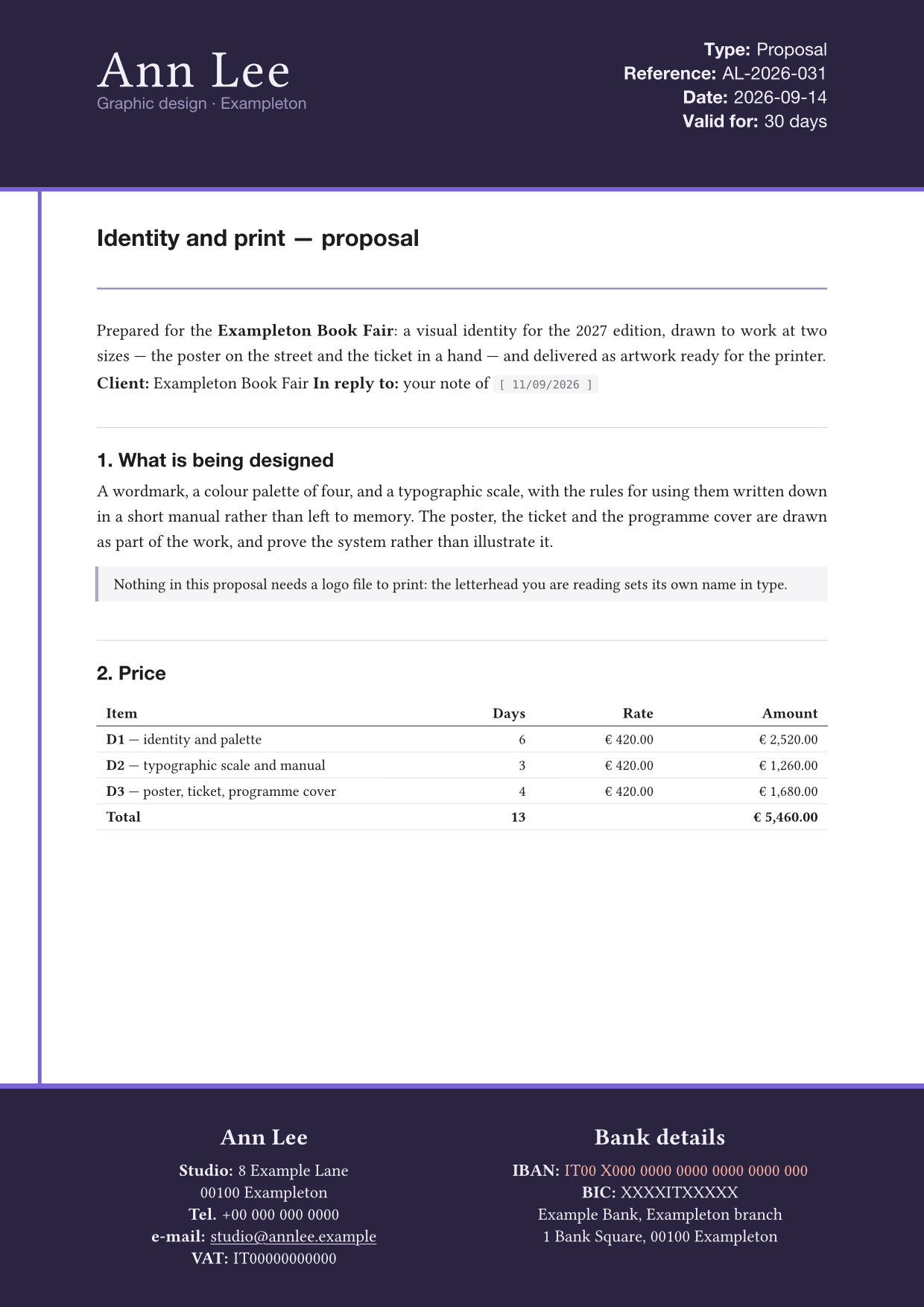
Delete brand.logo and the name is set in type, at the size the
logo would have had. For a freelancer, a studio of one, or anyone whose
name is the brand, that is the right letterhead rather than a
consolation prize.
brand:
  name: Ann Lee
  tagline: Graphic design · Exampleton
  wordmark:
    size: 34pt
    weight: 300      # 100 thin … 900 black
    tracking: 1.2pt  # air between letters
Nothing here needs an image. Colour the bands, put a rule down the edge of the paper, and the letterhead is yours without a single graphic in it.
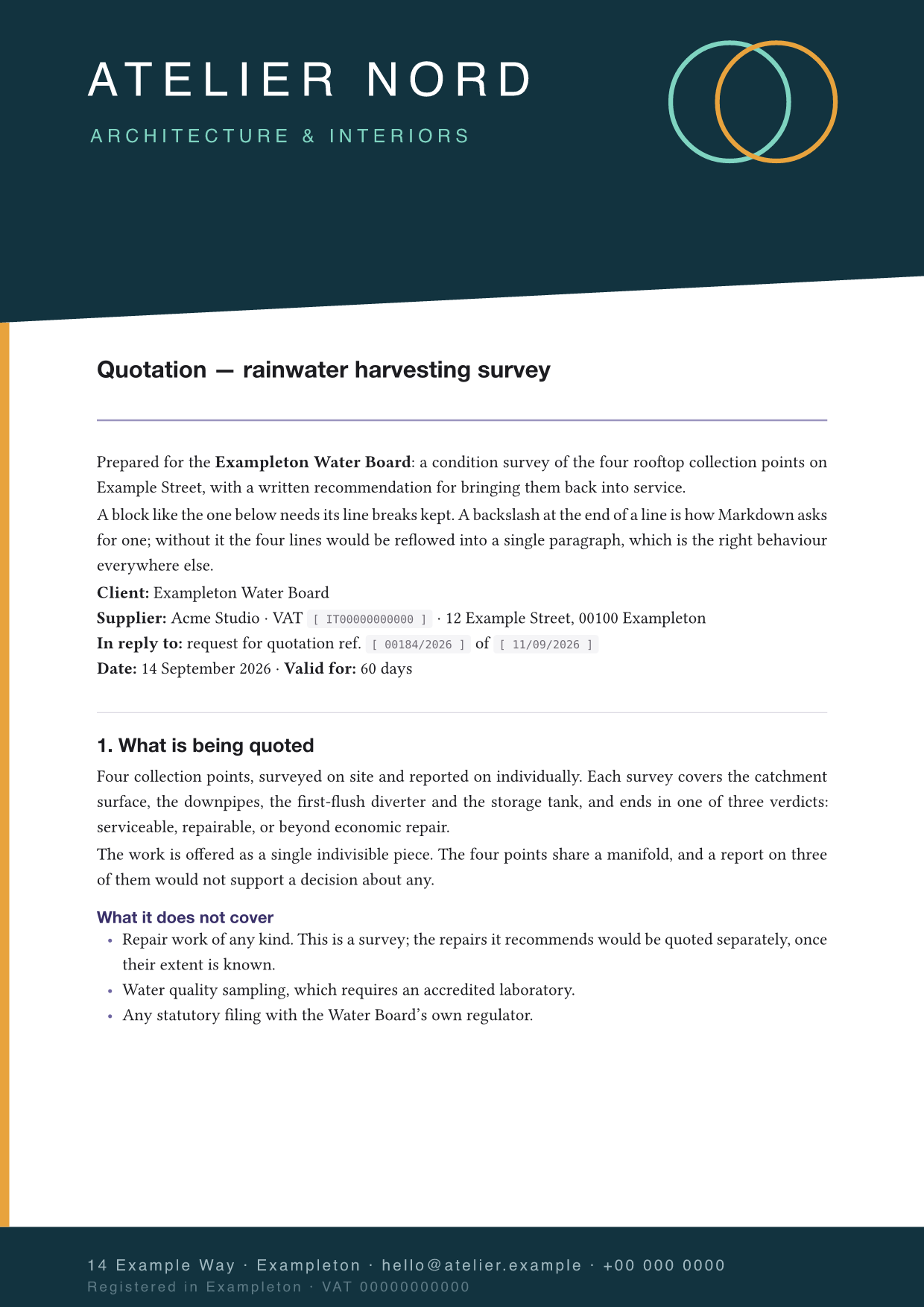
If a designer has drawn your sheet — or your printer has, and you have the
file — this turns the tool around. Point page.background at
the artwork, switch the tool's own furniture off, and open the margins
until the body clears your design.
page:
  background:
    image: assets/sheet.png  # 300 dpi
    pages: all             # first · rest · all
  margin: { x: 22mm, top: 82mm, bottom: 38mm }

header:  { show: false }
footer:  { show: false }
running: { show: false }
Nothing on that page comes from the tool but the type.
What you get
Not four fixed slots — however many your paper actually has. Each one names a key in the document's front matter, so Date and Reference change per document while Department stays put. A field left empty prints a rule to fill in by hand.
Any number of columns, each a title and a list of rows. E-mail addresses become links on their own; an IBAN can be picked out in the highlight colour. The block centres itself, so you can add a row without touching an offset.
 puts it on the page — PNG, JPEG, GIF, SVG
and WebP — and {width=48%} beside it makes two stand side by side.
With a caption it becomes a figure; without one it stays in its line.
Any string in the configuration can be a mapping from language tag to translation. A document picks its language in its front matter, and a missing translation falls back rather than leaving a hole in the page.
A brand with no logo file has its name set in type instead, at the size the logo would have had, with a face, a weight, a colour and a tagline of its own — a finished letterhead, not a fallback.
pdf.standard: a-3b and what comes out is PDF/A — every font
embedded, nothing fetched from outside, the same document in ten years. Add
ua-1 and it is tagged for a screen reader too. The conformance is
enforced by the compiler, not claimed. What that means.
Point page.background at your designer's sheet, turn the bands
off, and the tool stops building a letterhead and starts setting Markdown onto
yours.
A build is about two tenths of a second, so leave one running:
build --watch rebuilds on every save of anything it read — the
document, the configuration, a locale pack, the logo, every picture. A failed
build does not end the session, which is the whole value of it: fix the file,
save, and the error goes away.
A profile is a named set of changes — --profile draft turns the
accent red and stamps DRAFT behind the page, final asks for PDF/A
instead. A single document can carry its own letterhead: block for
the report that wants no footer band.
init writes a JSON schema beside the letterhead and points the
first line at it. Setting names complete, the comments become tooltips, and
pallette: is underlined before you save. Nothing is fetched: the
schema travels inside the package, so it works offline and matches the version
you installed.
Click any page to enlarge it.
Filing it
By default you get an ordinary PDF, which is what a letter is. Set
pdf.standard when somebody at the other end has asked for something
in particular — and what comes back is a document that passed, not a document
that claims to have.
pdf:
  standard: a-3b           # or a list: [a-3b, ua-1]
Typst checks conformance as it writes, so a document that would not hold up is refused instead of produced. Nothing here stamps a claim onto a file and hopes.
check reports the standard alongside everything else it settles,
before a single page is compiled:
  ✓  every setting resolves
     pdf standard   a-3b, ua-1
PDF/A is the archival form: every font embedded, no colour that
depends on a profile the reader does not have, nothing fetched from outside. It
is what a public administration usually means by “send it as a PDF”, and what
makes a document still open the same way in ten years. a-2b and
a-3b are the two in common use — A‑3 differs only in allowing a file
to be attached inside the PDF, which is how an electronic invoice carries its
XML. a-4 is the newer PDF 2.0 edition.
PDF/UA‑1 is the accessible form: the page is tagged so a screen
reader can follow it in reading order rather than guessing from where the ink
sits, and every picture carries a description. The two can be asked for together
— [a-3b, ua-1] is a document that is both filed and readable — with
the one exception that a-4 and ua-1 cannot be combined,
because A‑4 is PDF 2.0 and UA‑1 is not.
ua-1 and the a levels. That is what goes in the square brackets — . Say what the picture says, not that there is a picture.a-2b is the same idea without the restriction.ua-1. A band is drawn as a page artifact — furniture rather than content — and PDF/UA‑1 allows no link inside one, so the e‑mail address prints as the plain text it always was. Nothing moves on the page; the underline goes with the target.ua-1 with nothing edited, which is the test that the two lines above are real rather than nominal.a-1b a-2b a-3blevel b — basic | the document looks the same anywhere, for ever |
|---|---|
a-2u a-3ulevel u — unicode | …and its text can be extracted and searched |
a-1a a-2a a-3alevel a — accessible | …and it is tagged and described, as PDF/UA asks |
a-4 a-4f a-4e | PDF/A‑4 has no levels: a-4f allows attached files, a-4e is the engineering flavour |
ua-1 | tagging and descriptions, alongside any PDF version up to 1.7 |
Descriptions reach the page through Pandoc, and only from 3.9.0.1
onward — an older one drops them silently, so the document would be refused for
missing what it plainly has. check says so rather than letting you
find out that way. The full set of standards needs Typst 0.14;
0.12 knows only a-2b and 0.13 adds a-3b.
Languages
This is the part worth reading twice, because it is what separates this from a template with your address hard-coded into it. Wherever a string is expected, a mapping from language tag to translation is accepted instead.
lang: de in the front matter, and the whole letterhead comes out in German — field labels, footer titles, even the logo if you gave a different one per market.locales/de.yaml beside your configuration. No code changes, nothing to submit upstream.label: Reference # one language
label: { en: Reference, it: Codice, de: Kennzeichen }
running_header: "{title} · Seite {page} von {pages}"
untitled: "Unbenanntes Dokument"
Quick start
Mela Letterhead is a Python package, but it drives two external programs that do the real work. Install those first.
$ brew install pandoc typst$ sudo apt install pandoc
$ cargo install --locked typst-cli # or a release binary> winget install --id JohnMacFarlane.Pandoc
> winget install --id Typst.Typst$ pipx install mela-letterhead
pipx puts it in an environment of its own and
the mela-letterhead command on your PATH, which is what you want for
something you run rather than import. pip install mela-letterhead
works too, inside a virtual environment you have activated. Python 3.10 or newer;
the only Python dependency is PyYAML.
$ git clone https://github.com/melasistema/mela-letterhead.git
$ cd mela-letterhead
$ python3 -m venv .venv
$ source .venv/bin/activate      # Windows: .venv\Scripts\activate
$ pip install -e ".[dev]"
-e installs it in place, so pulling a change is enough to get it.
$ mkdir ~/quotations && cd ~/quotations
$ mela-letterhead init .   # a working letterhead, here
$ mela-letterhead check    # is everything it needs present?
$ mela-letterhead build    # → example-letter.pdf
Then mela-letterhead build --watch and leave it
running. It rebuilds on every save of anything it read, and a PDF viewer that
reloads the file it is showing turns that into the page redrawing itself while
you write.
Honest caveats
Written down rather than hidden, because you will meet them on the second day.
No — Typst places PNG, JPEG, GIF, SVG and WebP, and no PDF. A sheet drawn in a page-layout program has to be exported raster: PNG or JPEG, 300 dpi for print. The tool refuses the file by name before the compile rather than failing halfway through it.
a-3b unless you have been told otherwise. It is what almost
everybody means by PDF/A, and A‑3 differs from A‑2 only in allowing a file to be
attached inside the PDF — which costs nothing if you never attach one. Reach for
a-2b if the other end is specific about it, and avoid
a-1b unless it is named: PDF/A‑1 is built on PDF 1.4 and allows no
transparency at all, so a logo with a soft shadow in it will be refused.
Your Pandoc is older than 3.9.0.1, which is the release whose Typst writer learnt to carry a picture's description across. Before it the description is dropped in silence on the way, and the document is then refused for missing what it plainly has. The tool checks for this and says so up front rather than letting you meet it as a compiler error — but if you are reading this from an older version, that is the cause. Upgrade Pandoc.
veil actually doing?
Typst has no image opacity, so page.background.veil is a
translucent white rectangle drawn over the picture. That works on white paper
and nowhere else — which is exactly how it is documented.
Almost always a substitution. Typst replaces a missing family without failing,
so run mela-letterhead check and read the Fonts section for what
it actually resolved. Typst itself embeds no sans face, so the sans stack names
system fonts and must keep a plausible last resort.
It probably is, and the tool will say so: unknown keys are refused by name with the nearest valid one suggested. There is no silent fallback to a default you did not ask for.
Text in an SVG is set in whatever font the compiling machine has. Convert the lettering to paths — every vector editor will do this — or leave it to the caption, where it is typeset with the rest of the document.
No. init writes a four-page quotation for a company that does not
exist, which exercises every part of the layout. Read it once, delete it, write
your own.
Free and MIT-licensed. One command installs it, one prints your own quotation before the kettle boils, and the twenty minutes at the end of the job are yours again.